Be honest. How many evenings has LaTeX stolen from you?

Stop debugging.Start writing.

TESSA is a free LaTeX studio that explains your errors in plain English, fixes them in one click, and lets you drag things right on the PDF. Everything stays on your computer.

Download for Windows ▶ Watch the 3-minute tour Free · Windows 10 & 11 · No account · Works offline · LaTeX included

It's 2 a.m. The deadline is at nine. The PDF won't build.

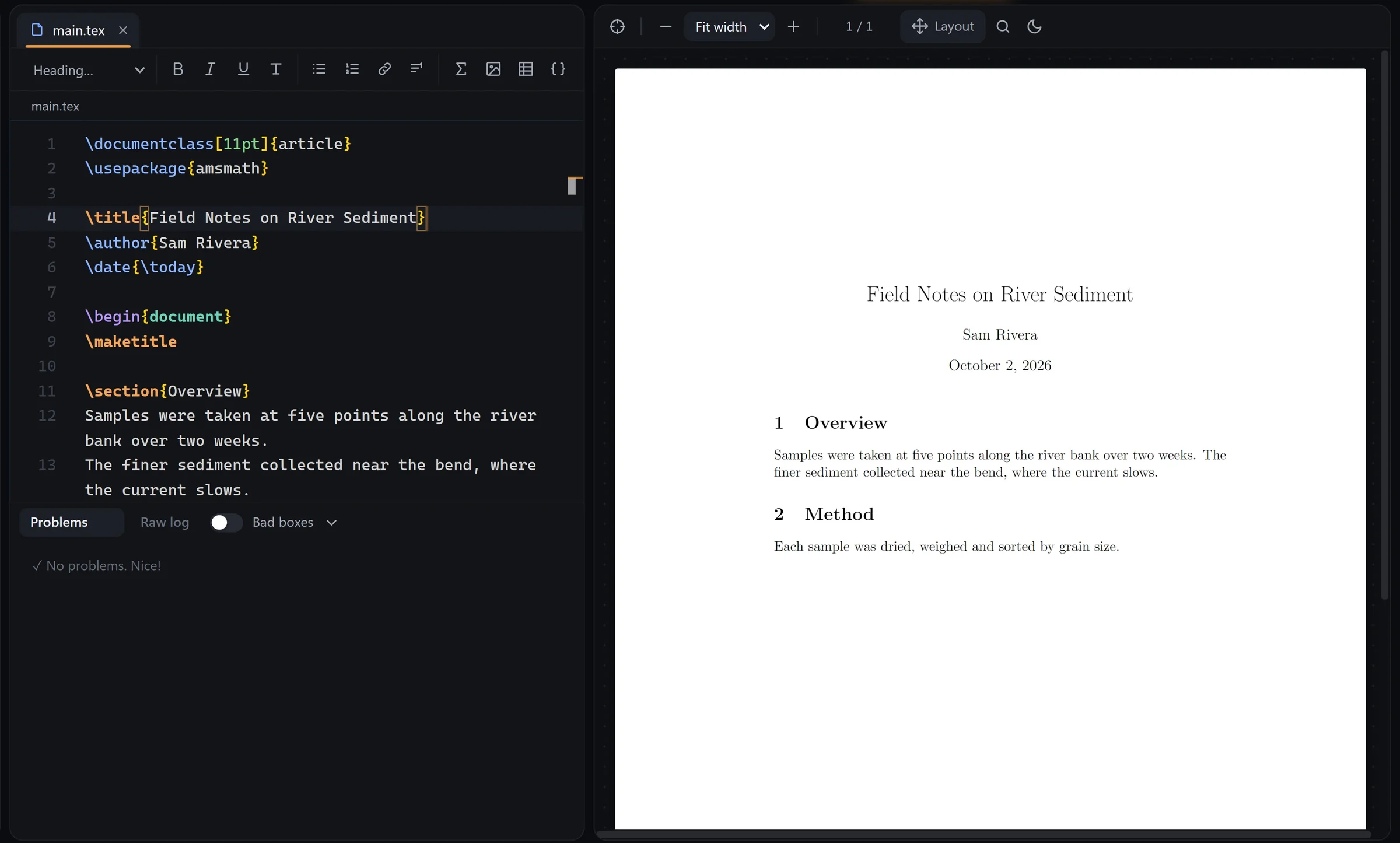
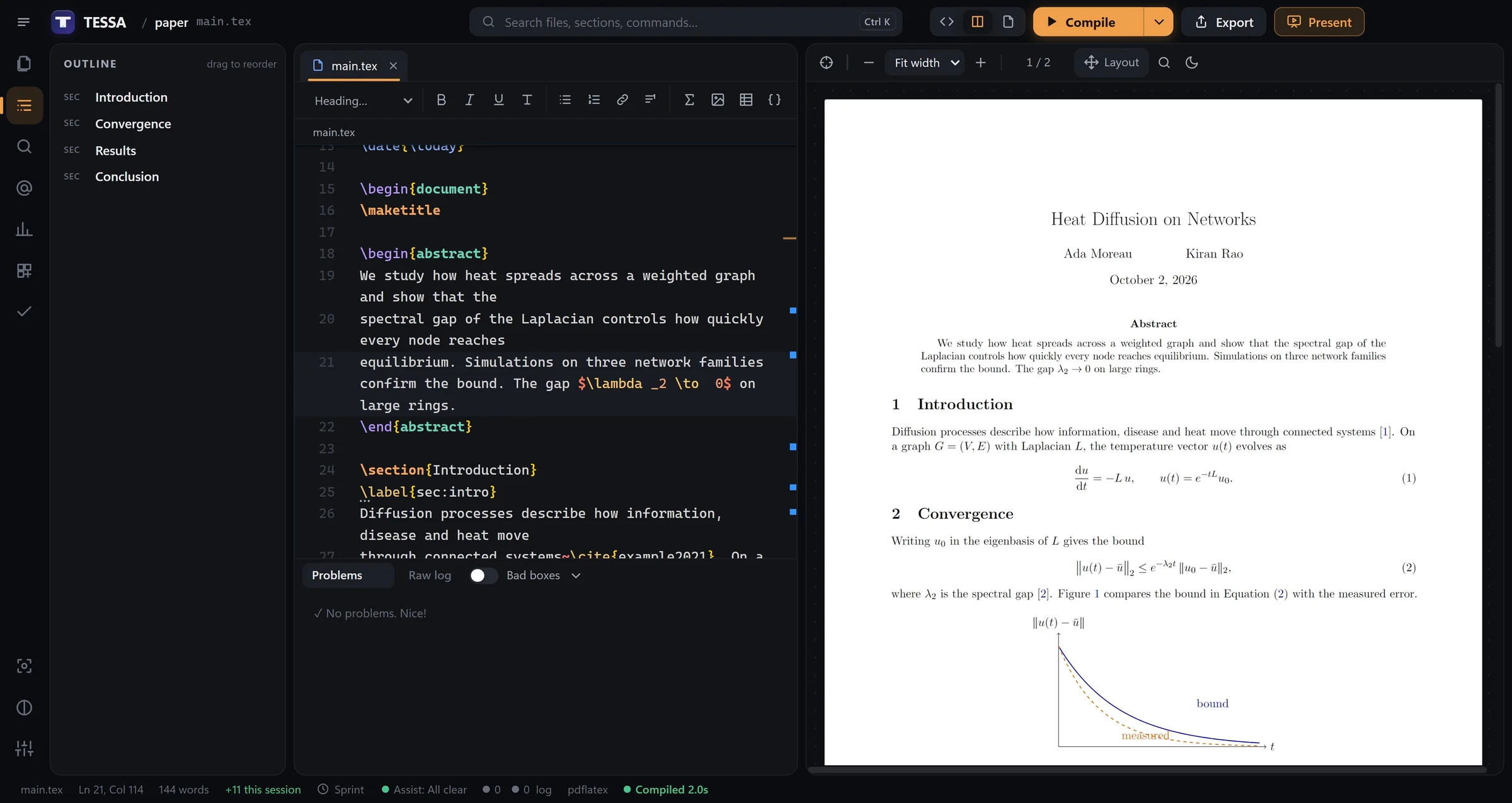
Write on the left. Watch it typeset on the right.

Every keystroke updates the PDF. Every mistake gets caught while you type, with the fix one click away.

paper — TESSA
TESSA with a LaTeX paper on the left and the live PDF on the right
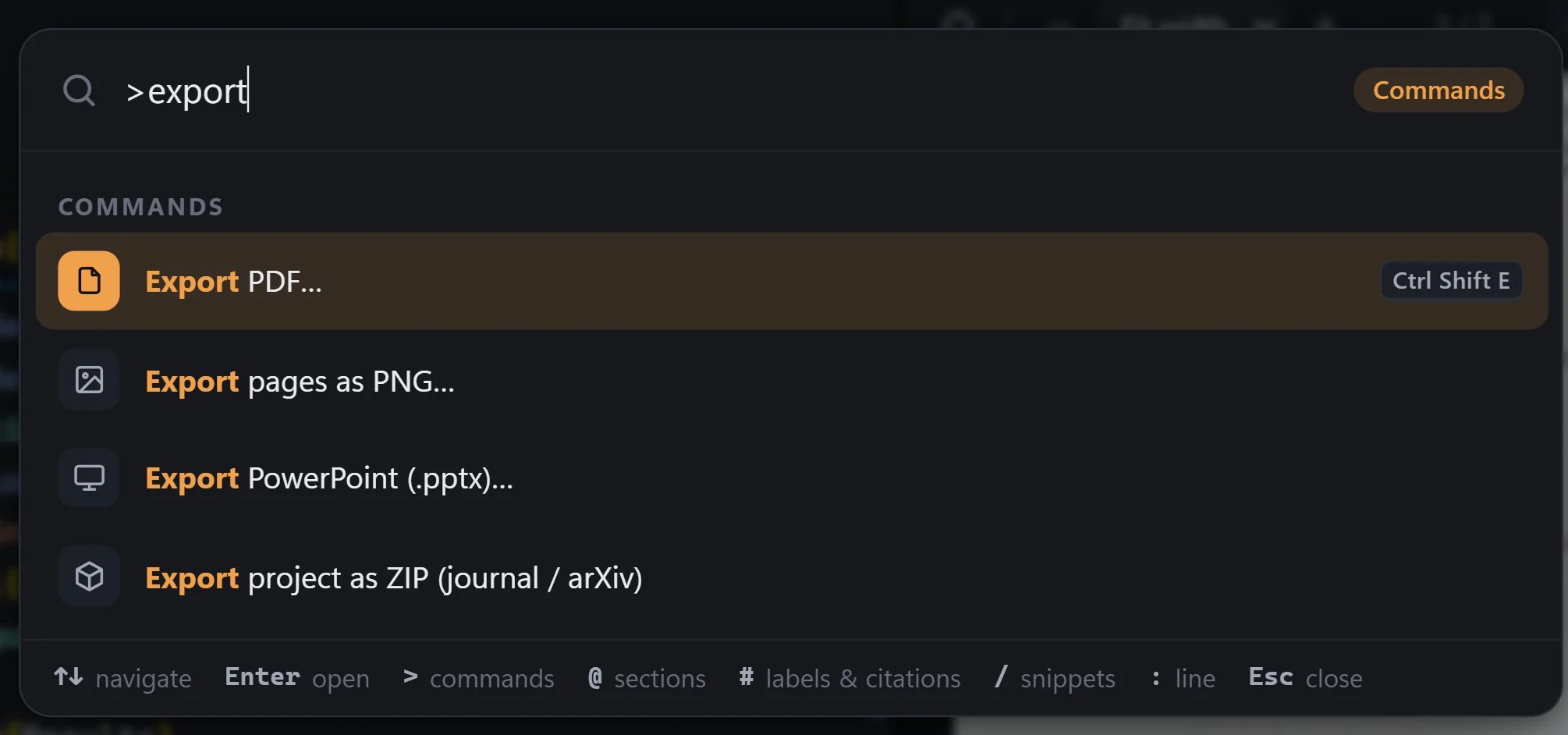
Command palette
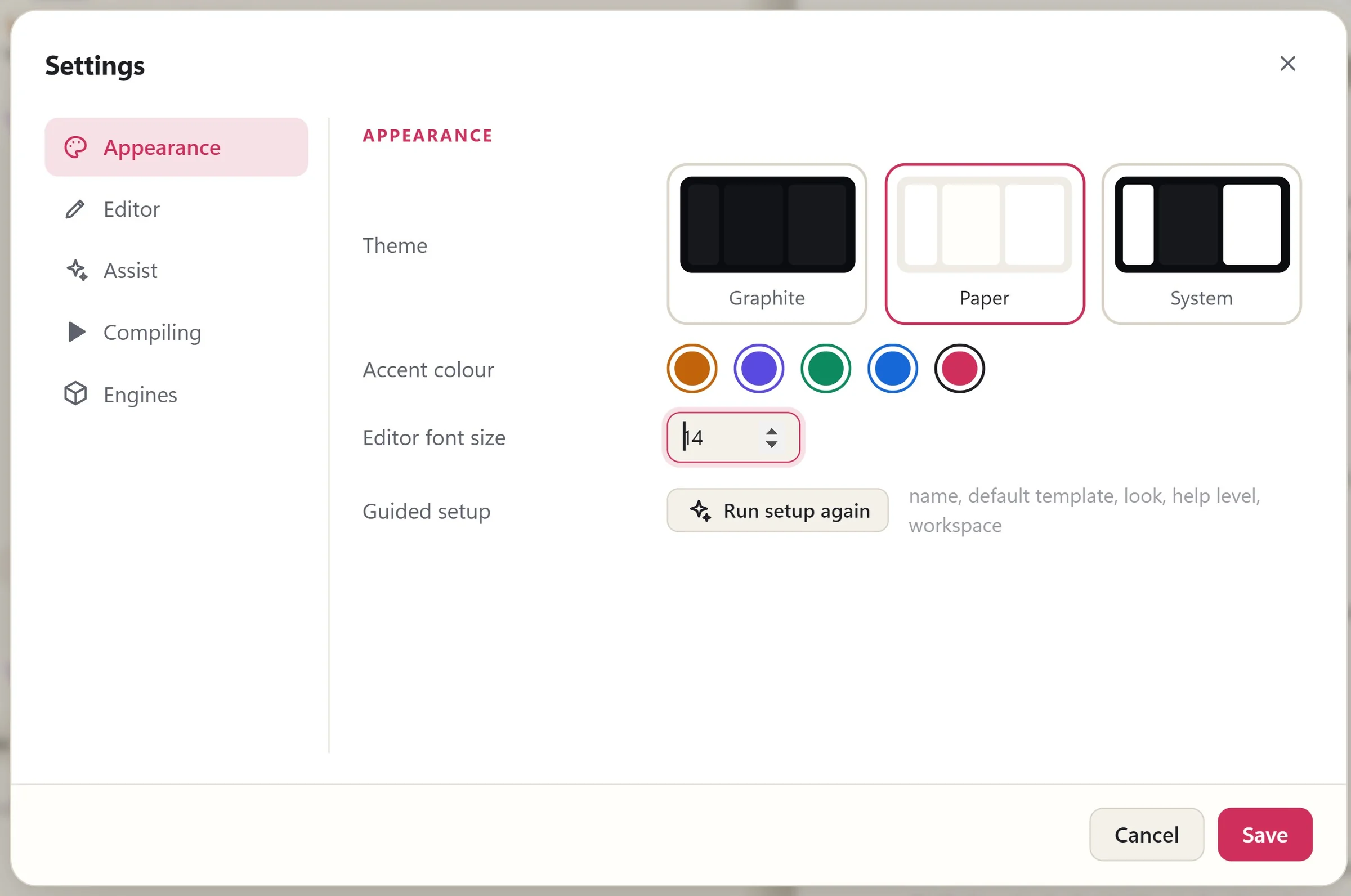
Theme and accent settings
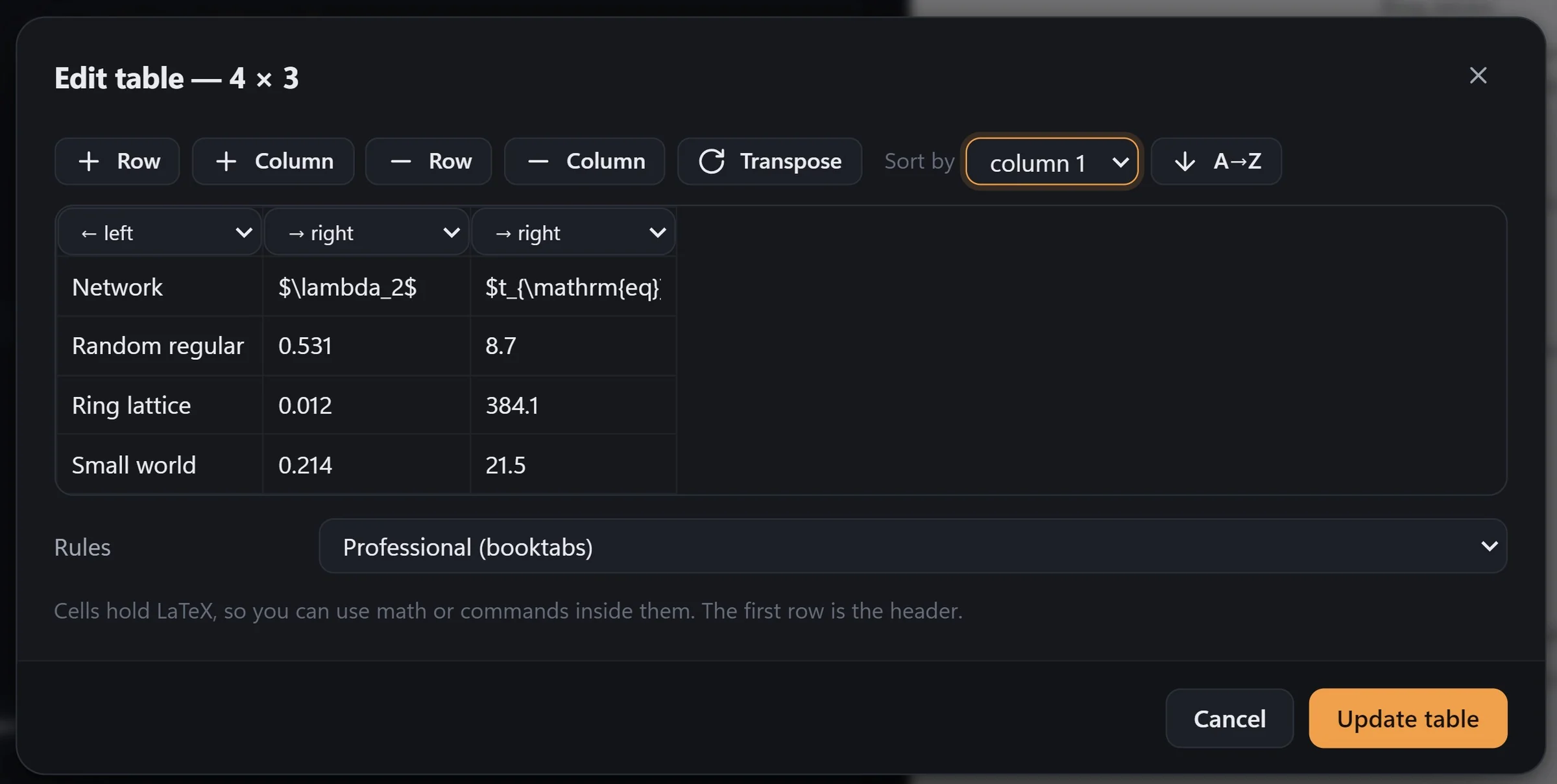
Visual table editor
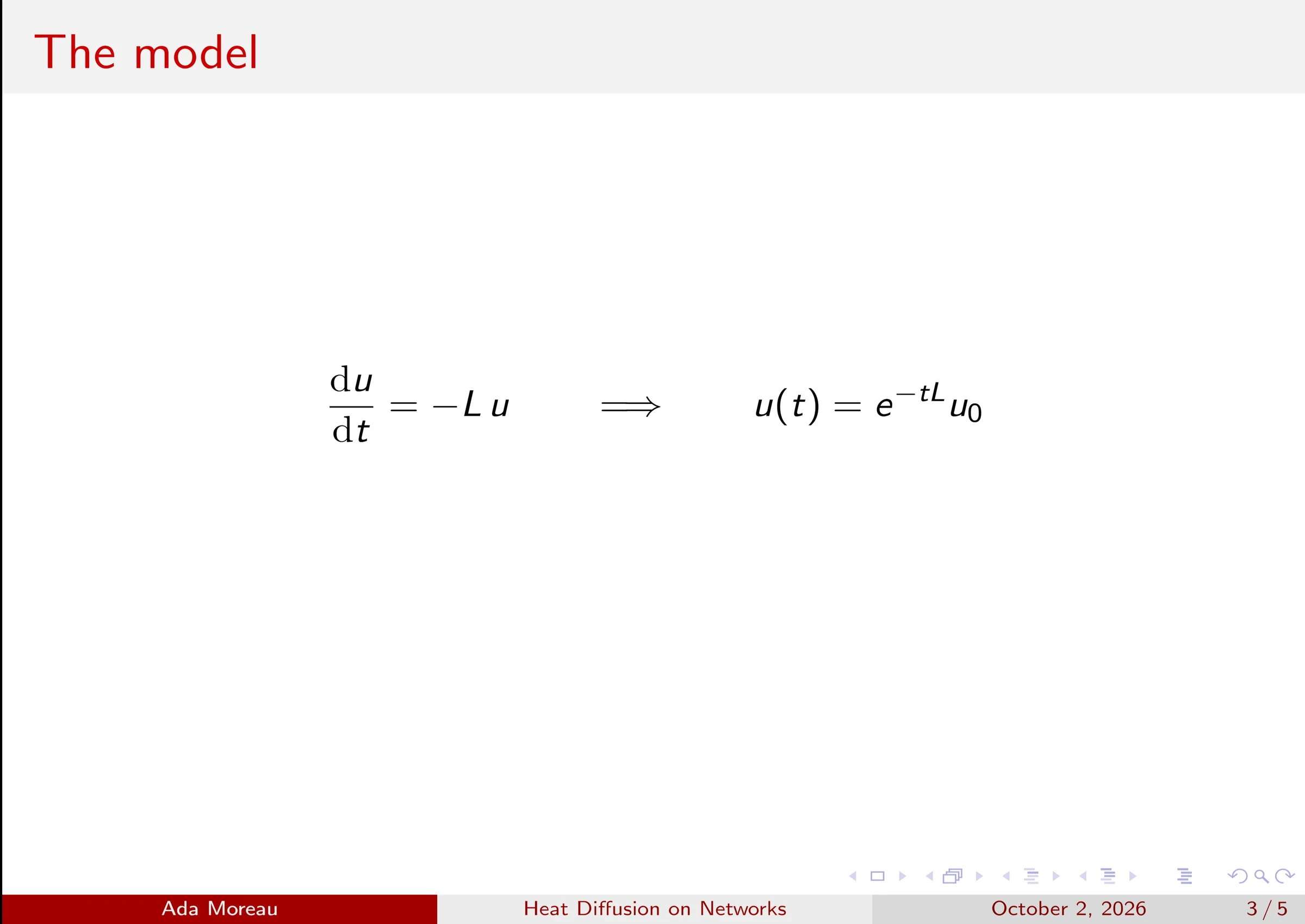
Full-screen presenter
1.2 sto a fresh PDF
60+errors explained
14step hands-on tour
0accounts needed

! Undefined control sequence. l.2 \titmle{My Report}

Sound familiar? Try fixing it.

This is exactly what TESSA does with your real documents. Go on, press the orange button.

1\documentclass{article}
2\titmle{My Report}
3\author{Sam Rivera}
4\begin{document}
5\maketitle
6\end{document}
Undefined control sequence on line 2.
\titmle looks like a typo of \title.
PDF not built: 1 error
What makes it easy

Everything you fight with in LaTeX, handled.

01 / ONE-CLICK FIXES

Forty errors and a log nobody can read?

Errors in plain English. Then fixed.

Every error comes with an explanation and a fix. Press Fix all and TESSA repairs them and compiles again. Drag the slider to see it.

  • Misspelled commands and environments
  • Missing packages, braces, $ and \end{…}
  • Prices like $5, 50%, # and file paths
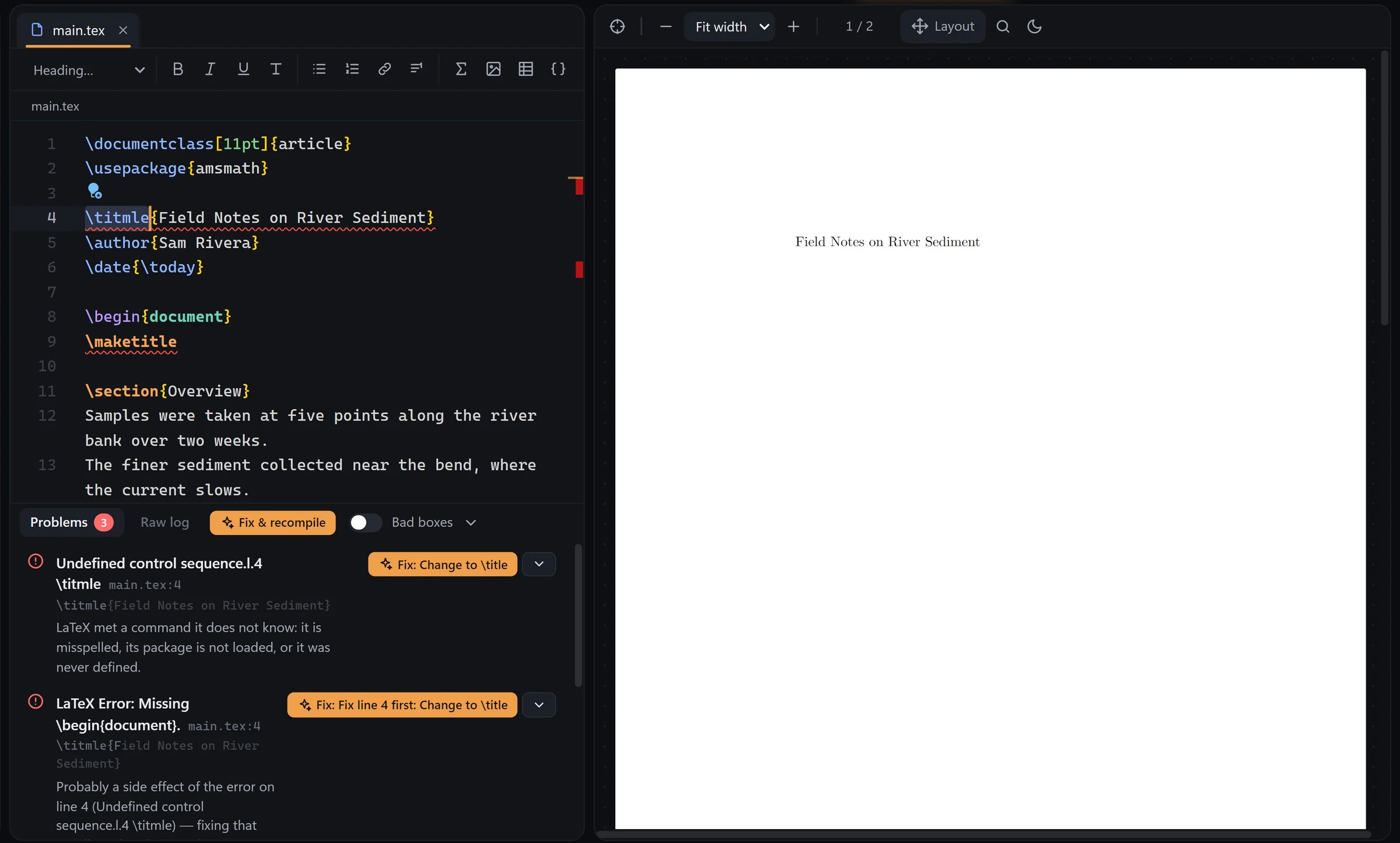
After the fix: the PDF built Before: an undefined control sequence with an explained one-click fix BEFOREAFTER
02 / LAYOUT MODE

An hour of \vspace to move one figure?

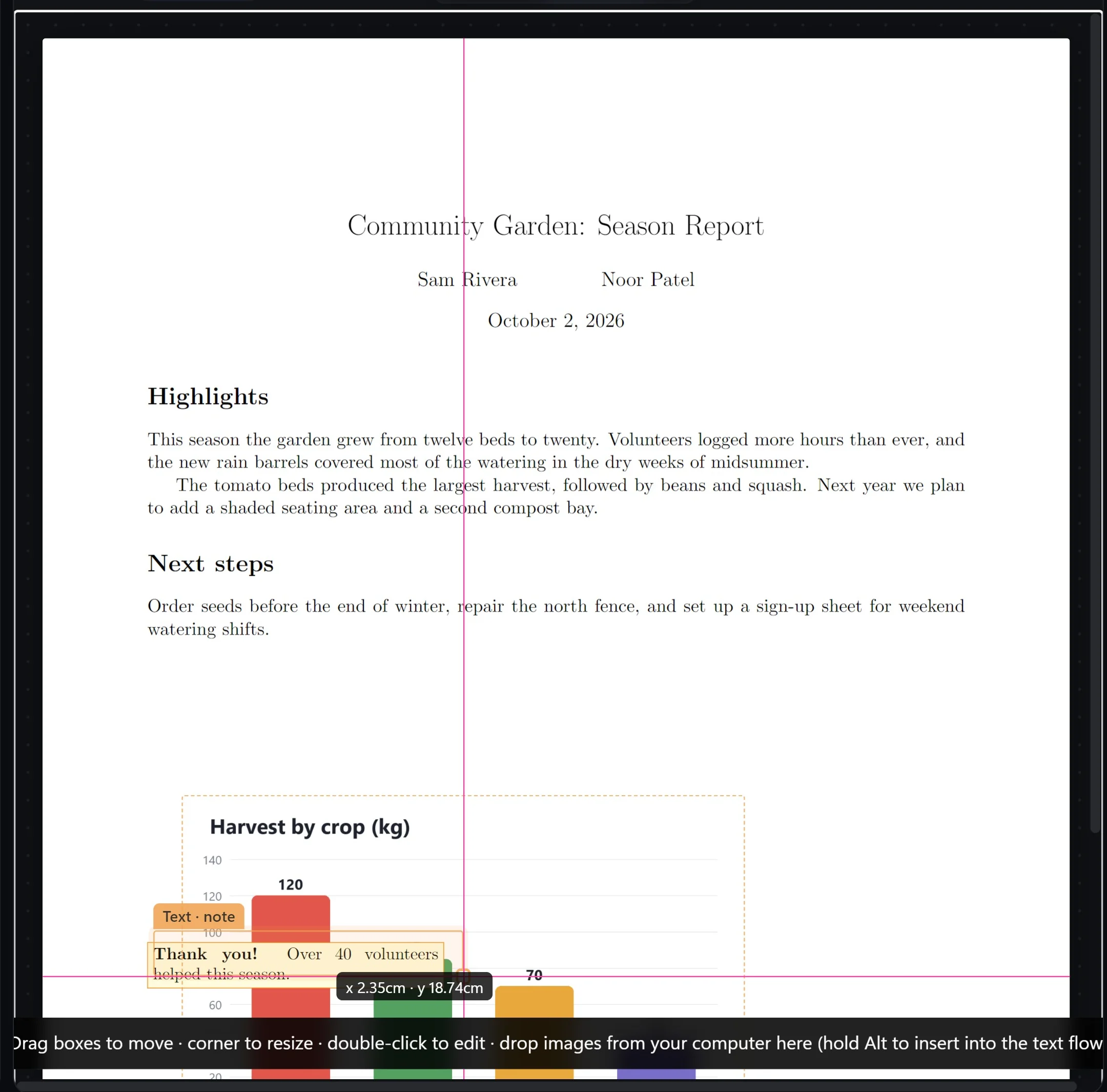
Drag anything, right on the PDF.

Press Ctrl L and move charts, images and text boxes where you want them. TESSA rewrites the LaTeX for you.

  • Drag, drop and resize on the page
  • Works in documents and Beamer slides
Dragging a chart on the PDF in layout mode
03 / EQUATIONS

Was it \leq or \le? \frac or \dfrac?

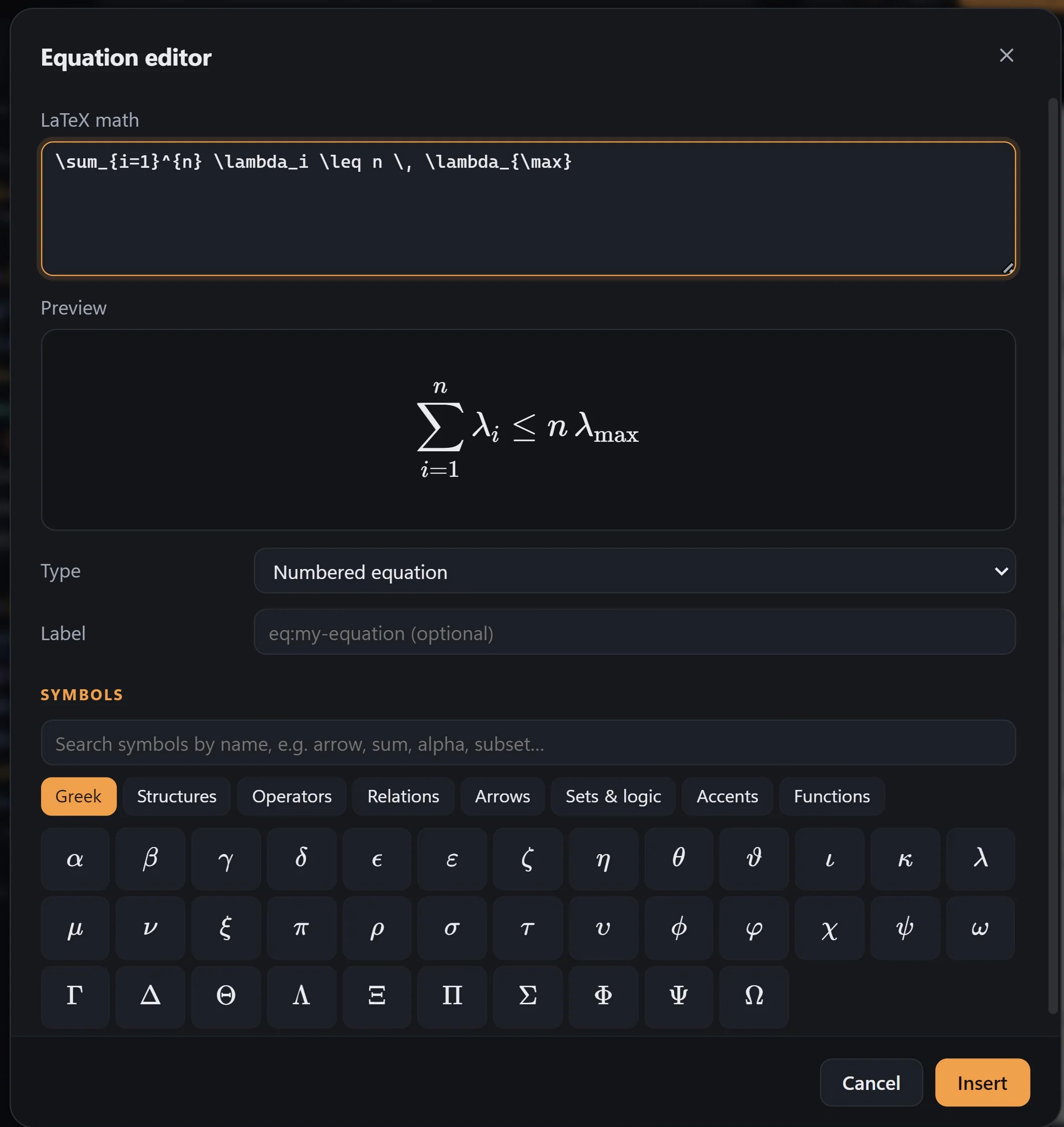
See the formula before you insert it.

Click Σ, type your math and watch the preview build as you go. Inside math, @a becomes \alpha and // a fraction.

  • Live preview and a symbol palette
  • Numbered, inline or aligned
Equation editor with live preview
04 / TABLES

Typing & and \\ for forty rows?

Edit tables like a spreadsheet.

Paste cells from Excel and they become a booktabs table. Click inside any table to sort, add rows or change alignment in a grid.

  • Paste from Excel, Sheets or Word
  • Sort, transpose, change rules
Visual table editor
05 / COMMAND PALETTE

Where was that command again?

Ctrl K finds anything.

Files, sections, labels, citations, snippets and every command, one fuzzy search away. Export to PDF, PNG or PowerPoint from the same box.

  • > commands · @ sections · # labels
  • Export to PowerPoint (.pptx)
Command palette searching export commands

Not convinced yet? Give it three minutes.

Three minutes. Every feature.

No sign-up, no email. Just the app doing its thing.

Never written a line of LaTeX?

Set up in a minute. Learn in ten.

First run

A setup that asks you

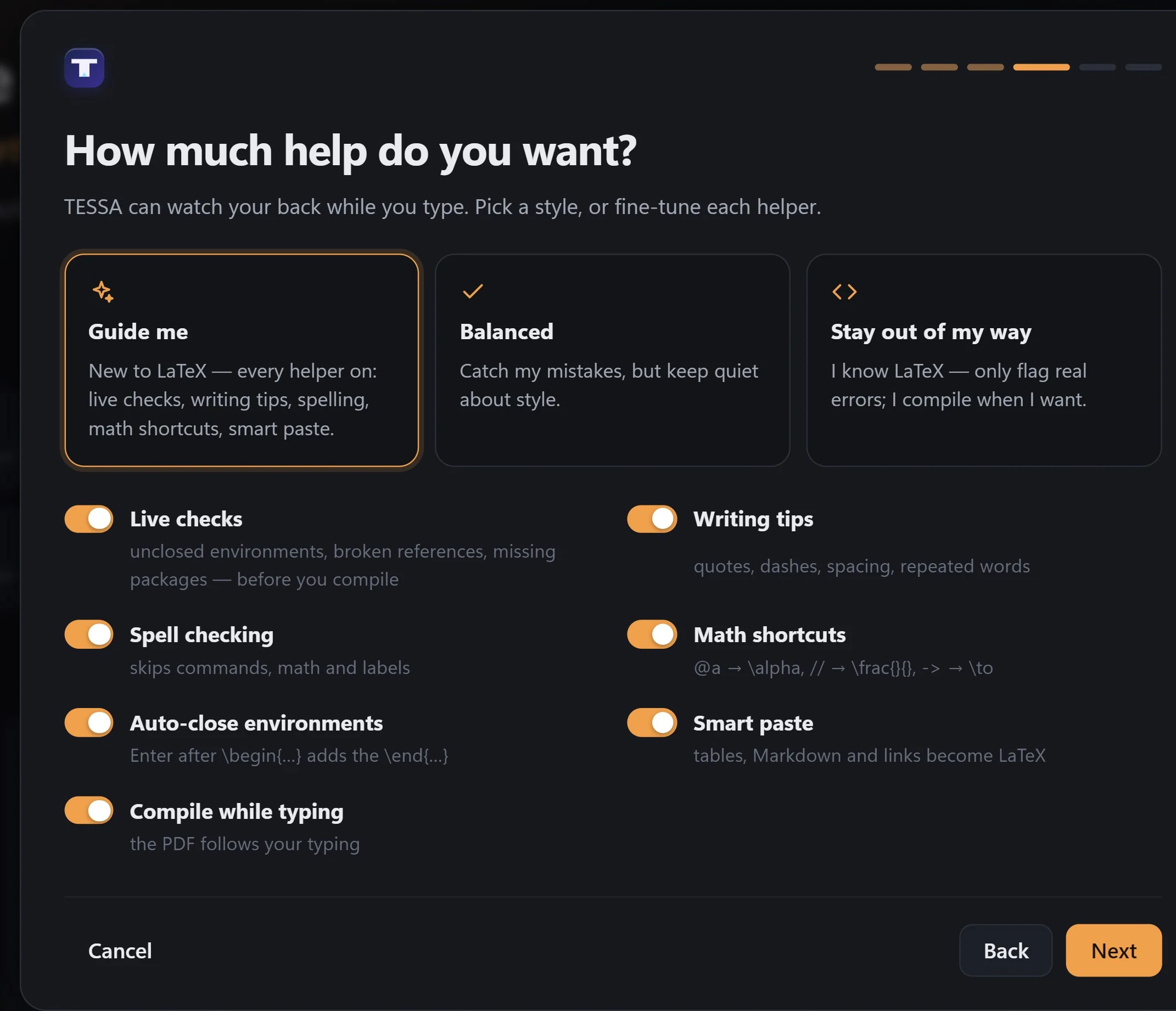
The first time you open TESSA it asks your name, what you write, your colours and how much help you want. Change any of it later in Settings.

First-run setup: how much help do you want
Hands-on tour

Learn by doing it

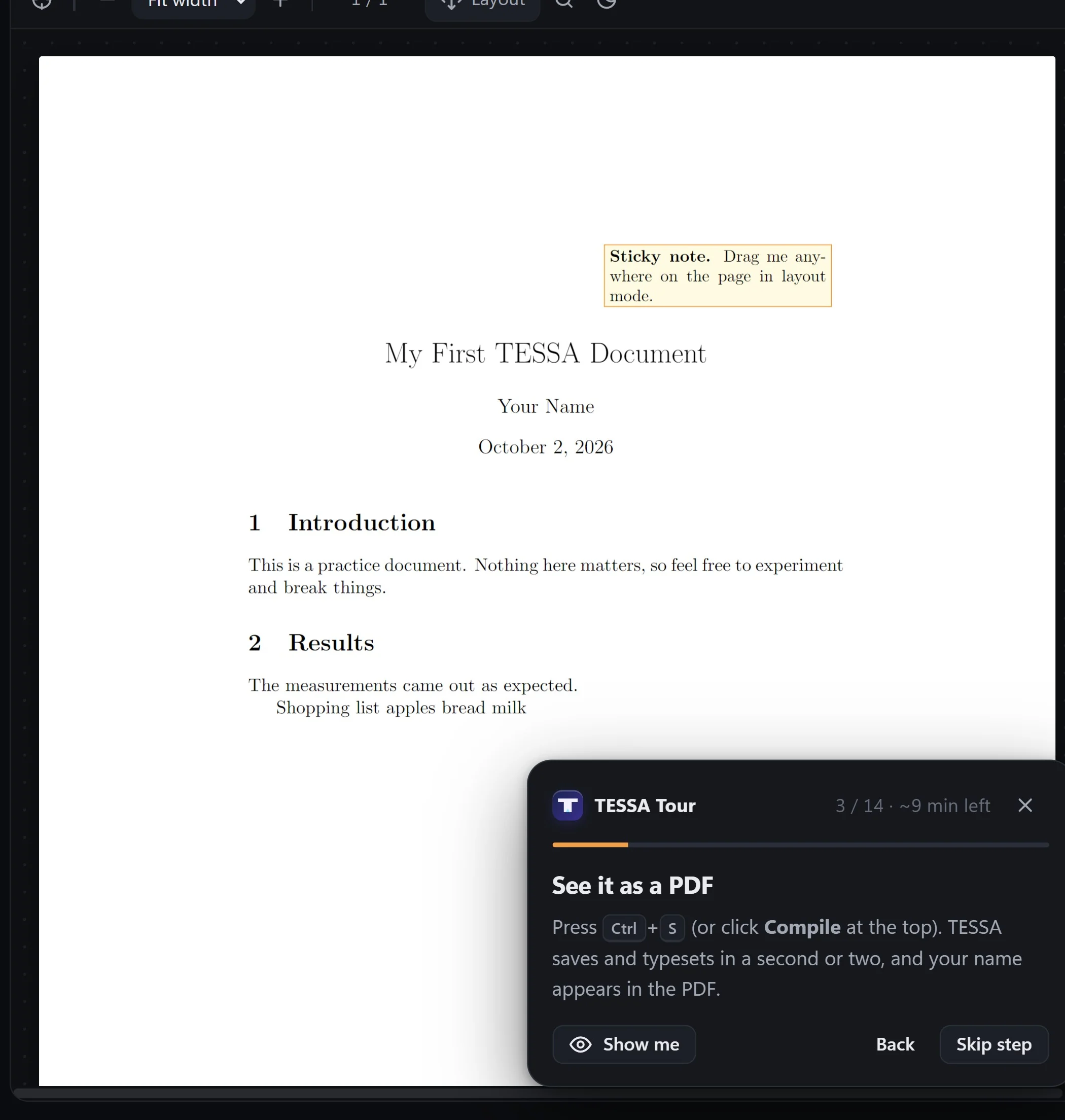
Fourteen short steps in a practice document: write, compile, equations, lists, tables, fixes and layout mode. TESSA notices when you've done each one.

Interactive tour panel next to the PDF

Where does your thesis go when you press save?

0bytes

of your writing leave your computer.

TESSA has no servers, no account and no analytics. It only goes online to download a LaTeX package it doesn't have yet, and never sends your documents.

No accountOpen it and start writing.
Works offlineOn a plane, in a lab, anywhere.
Your files stay localProjects live in your Documents folder.

Read the full privacy policy.

Version 3.0.0

Your next paper compiles first time.

Free for Windows 10 and 11. LaTeX comes built in; if you already have TeX Live or MiKTeX, TESSA uses them automatically.

Verify your download (SHA-256)

Open a Command Prompt in your Downloads folder and run certutil -hashfile TESSA-Setup-3.0.0.exe SHA256. The result must match the line above.

TESSA isn't code-signed yet, so Windows may show "Windows protected your PC" the first time. Choose More info → Run anyway.

Questions

Good to know

Is TESSA really free?

Yes. It's free to use for personal, school and commercial writing. Everything you create belongs to you.

Do I need to install LaTeX first?

No. TESSA ships with its own LaTeX engine and fetches packages the first time a document needs them. TeX Live or MiKTeX are used automatically if you have them.

Does it upload my documents?

Never. TESSA has no servers. It only connects to download LaTeX packages it doesn't have yet, or when you look up a reference by DOI.

Is it open source?

No. TESSA is freeware: free to use, but it may not be modified, reverse engineered or resold. It's built on open-source components, which are listed in the third-party notices.

Which systems does it run on?

Windows 10 and 11, 64-bit. Use the installer, or the portable version if you can't install software on the computer.

I'm new to LaTeX. Is it for me?

Yes. The first-run setup tailors TESSA to beginners, and the optional 10-minute tour teaches the essentials by doing them.

Stop debugging.
Start writing.

Download TESSA, free